MEGA Pass - Password Manager
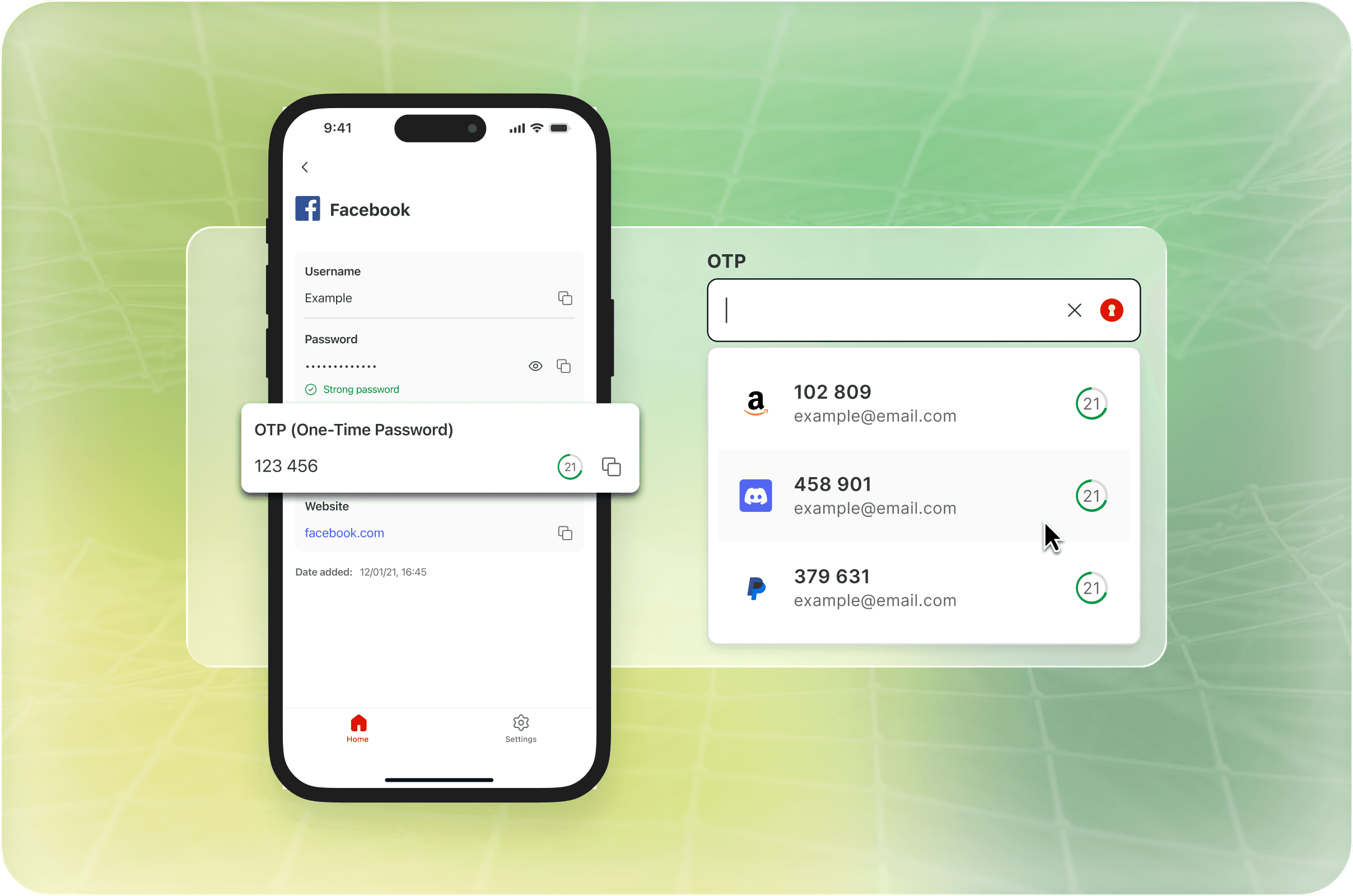
Expanding security with OTP
Post-launch feedback for MEGA Pass pointed to a clear gap: users needed to generate two-factor authentication codes without leaving the app. This is the story of how we tested two onboarding approaches to find the right way in.
Overview
Role
Lead designer (1 of 1)
Responsibilities
End-to-end UX and UI, User research
Collaborators
Product Manager, BA, UX writer, Developers, QA testers
Key themes
MVP product expansion
User research
Cross platform
MEGA Pass MVP launched in November 2024 to a positive reception, but post-launch feedback quickly highlighted gaps in functionality. While the core password management experience performed well, users consistently pointed to missing features that disrupted more advanced security workflows.
One of the most critical gaps was the inability to store and generate one-time passwords (OTP). Earlier MVP research had already identified strong demand for two-factor authentication support, but the launch confirmed how frequently this need appeared in real-world usage.
Problem
The Problem
“ ..the app lacks an important feature which is the option to generate 2fa codes.”
USER FEEDBACK
MEGA Pass entered a saturated market where two-factor authentication support is often expected. Without it, users had to switch between MEGA Pass and a separate authenticator app.
This introduced friction at a critical point in the login flow, slowing users down and weakening the seamless autofill experience the product aimed to deliver. In some cases, it became a blocker to adopting MEGA Pass as a primary password manager.
The Approach
To address this, we wanted to integrate OTP (a version of two-factor authentication) directly into the existing password flow. Rather than introducing a separate feature, OTP would be added within the current add-password structure, leveraging the existing data model, and strategically saving developer effort and time so we could quickly address user concerns.
This would allow users to store, generate, and autofill OTP codes in one place, removing the need for context switching while reinforcing MEGA Pass’s core promise of a fast, seamless login experience.
Understanding OTP
I focused on understanding two key areas:
How OTP works in practice within password manager workflows
How familiar MEGA users are with OTP terminology and user flows
OTP user flow

While the UI components and updating the add/view password flows to include OTPs were relatively straightforward, the real complexity lay in the setup flow. OTP setup introduces unfamiliar concepts such as QR codes and secret keys, which can create friction before users complete the process.
This led to two key questions:
How might we guide first-time users through OTP setup without slowing down experienced users?
How might we support setup across different third-party flows that we do not control?
User Research
A/B testing the onboarding
To answer these questions, I designed two onboarding approaches and ran an unmoderated A/B test via Maze with separate participant groups (around 40 users per test).
Test A: Lightweight guidance
Focused on direct interaction within the MEGA Pass form itself. Light contextual hints (tooltips, inline labels) provided help at the moment of need. My hypothesis: most users can figure it out if the form is self-explanatory.
Completion
60.7%
Drop off
39.3%
Ease of use rating scale
5/5
4/5
3/5
2/5

Image: Test A user flows and heatmaps
Note: Open-ended responses revealed 55% of drop-offs were caused by prototype errors, not onboarding usability issues.
Test B: Extended walkthrough
Added more context upfront, walking users through both the MEGA Pass form and a simulated external setup flow - showing how 2FA looks on a third-party site before returning to save the key. More thorough, but longer.
Happy path
51.3%
Completion
64.9%
Drop off
35.1%
Ease of use rating scale
5/5
4/5
3/5
2/5

Image: Test B user flows and heatmaps
Note: Drop-offs here were linked to confusion or fatigue - the flow length worked against completion. 13.6% finished through longer, non-happy-path routes.
Research based design direction
Three findings clearly favoured Test A:
Direct interaction
Heatmaps showed a more linear path with less backtracking, suggesting users could complete the flow with minimal guidance.
Higher clarity
Most Test A users rated the experience a 5 out of 5 for ease of understanding. Test B responses were more mixed, with a noticeable drop to 3s.
Lower drop offs
Early exits in Test A were mostly caused by prototype errors, based on users' comments. Test B early exits were linked to confusion or lack of interest.
We also used the study to resolve terminology. Users were split between “OTP” and “authentication code”, with “TOTP” and “2FA” trailing behind. We moved forward with “OTP”, prioritising the term users most readily recognised.
Final Designs
Final Designs
OTP Setup
To support users beyond onboarding, we added contextual help within the form field, allowing users to access guidance at the moment they needed it. This ensured the setup remained discoverable for users who skipped onboarding.
Video: iOS - Access tutorial via add item form
Video: iOS - Setting up OTP on third-party site
Video: Web - Access tutorial via add item form
Video: Web - Setting up OTP on third-party site
OTP Autofill
On the autofill side, we introduced a clear visual indicator of a shield icon for credentials with OTP enabled. This made it easier for users to identify and select OTP-linked accounts during login without navigating to the item detail page.
Video: Android OTP autofill
Video: EXT OTP autofill
Learnings
Key project learnings
Pragmatism in a reduced team
Working with a smaller team post-MVP required pragmatic decisions about scope, testing depth, and iteration speed to keep delivery moving while still maintaining meaningful UX validation.
Look beyond the metrics
The A/B testing reinforced that quantitative data/metrics alone can be misleading without understanding the reasoning behind user behaviour. Open-ended responses revealed that several Test A drop-offs were caused by prototype issues rather than genuine usability problems.
Define product success earlier
Earlier planning around OTP adoption metrics and post-launch measurement would have created a clearer framework for evaluating feature success and long-term engagement. As MEGA Pass was later deprioritised, further event tracking and live feature validation fell out of scope.

